

ABOUT JUNO.
‘Juno’ is a to-do list and productivity app that blends the Pomodoro technique with motivational elements and optional community engagement. This usability test explored how well users could complete two key tasks and assessed pain points and opportunities for improvement.
Role
UI/UX Designer & UX Researcher
Tools
Figma, FigJam, & Optimal Workshop
PROCESS.
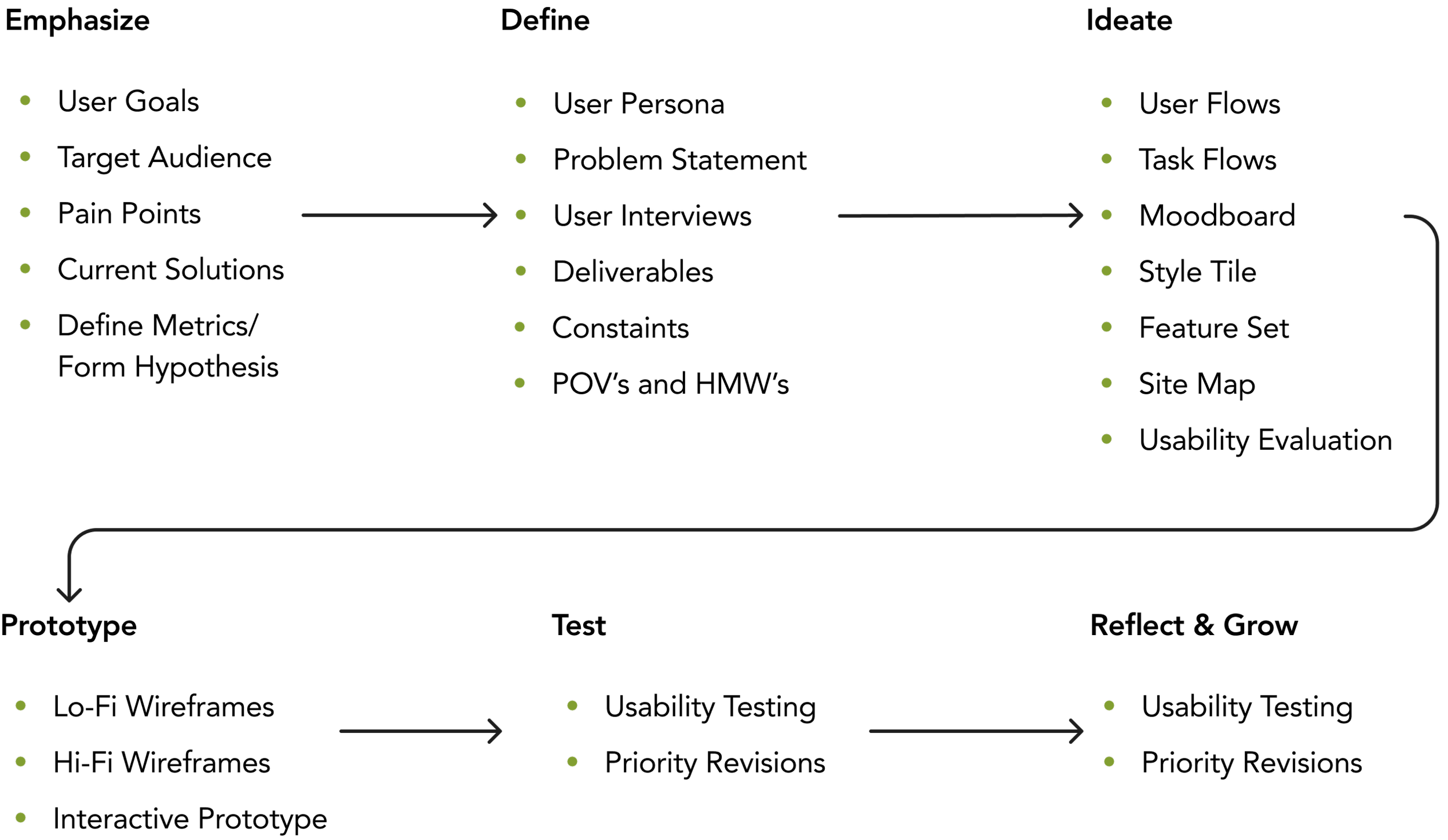
TASK AT HAND.
My task was to design an end-to-end mobile application from foundational research through developer handoff, with a strong emphasis on usability, accessibility, and attention to detail. Throughout the process, I ensured that every decision aligned with developer standards and supported a seamless user experience.
Problem Statement:
Users struggle to efficiently manage academic responsibilities and stay motivated due to burnout and the need to juggle multiple organizational tools. They need a unified platform that simplifies task management, supports collaboration, and enhances productivity and accountability.
As a college student, I’ve witnessed firsthand how challenging it can be to balance academic work, extracurriculars, and part-time jobs. This inspired me to design a solution that fosters motivation, streamlines organization, and promotes academic success. While the app is designed with students in mind, it remains flexible and universal, empowering anyone to manage their goals effectively.
Solution:
PROJECT GOALS.
Design an intuitive platform that simplifies task management and encourages consistency for students.
BUSINESS GOALS.
Increase user engagement by providing an all-in-one organizational tool tailored for students.
USER GOALS.
Provide seamless integration of academic schedules, task management, and productivity tools.
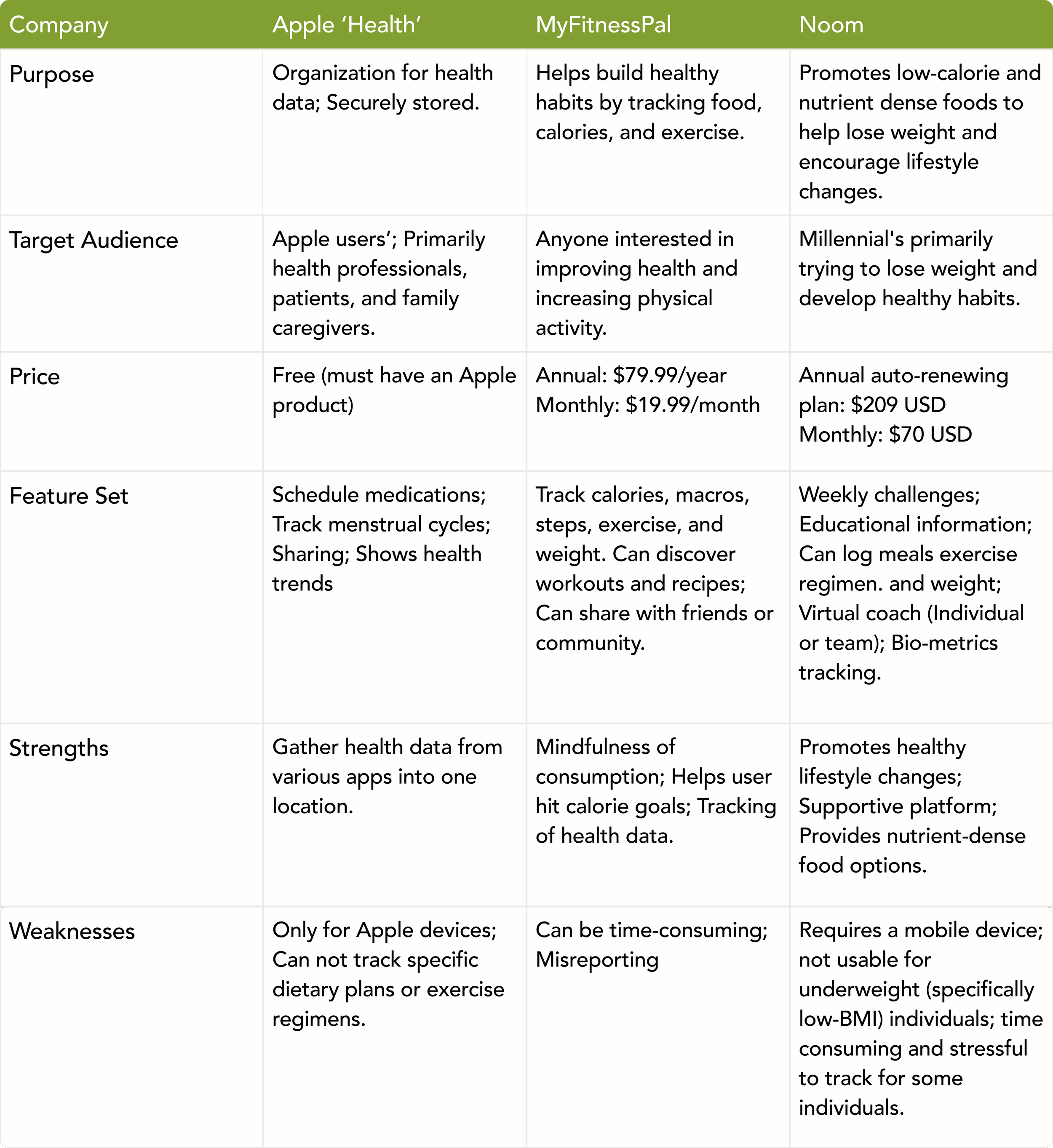
COMPETITIVE ANALYSIS.
Goals:
Identify key competitors.
Assess their strengths and weaknesses.
Uncover gaps in their products.
Key Takeaways:
All platforms
Pearson+:
Quizlet:
My Study Life:
INTERVIEW FINDINGS.
Interview Goals:
Determine what health goals users typically want to meet.
Understand how using this will fit into their daily lives with ease.
Determine and understand factors that prevent people from following routines or plans.
Interview Findings:
Users wanted a customizable health app.
Ability to choose their health journey.
Individuals wanted to increase their physical activity.
Most individuals were sedentary.
Users showed interest in customizable dashboards (summary page).
Current apps feel overwhelming and are information overload for users.
Users wanted consistent health routines.
Most were hindered by their schedules and daily responsibilities.
“I recognize that my dietary needs are different from others due to genetics, and health apps should cater to what works for me rather than a one-size-fits-all approach”
“...but just not being motivated, or just finding excuses to not do it that day. And I think part of it does come a little bit with just being a mom... So it’s hard to take that time away from family, even though you know you’re supposed to focus on your own goals and your own care.”
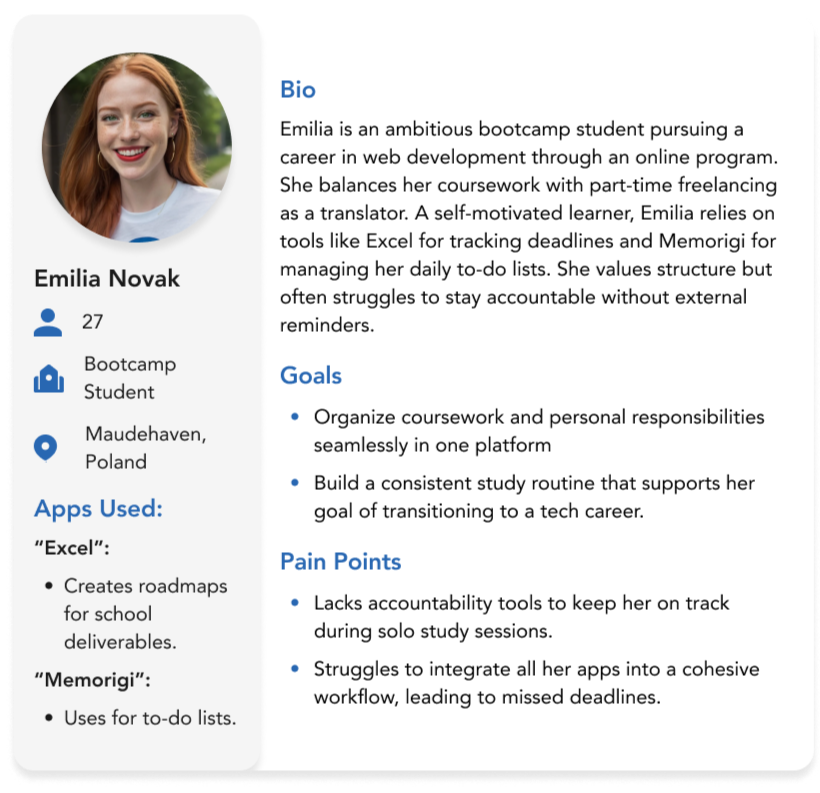
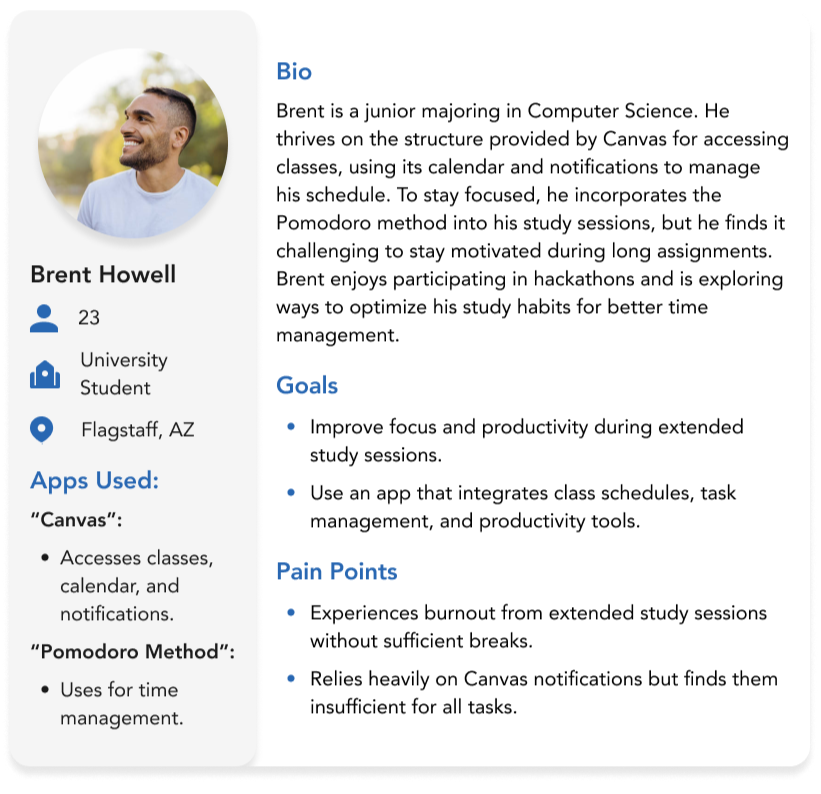
USER PERSONAS.
POV STATEMENTS.
POV Statement #1:
I’d like to explore ways to help individuals experience a more intuitive and user-friendly design because all interviewees expressed an overwhelming feeling from information overload and clustered dashboards in previous apps.
As a user, I want to see an intuitive and user-friendly design, so I can focus on the data I want to see because current apps feel overwhelming with the cluttered dashboards and information overload.
POV Statement #2:
I’d like to explore ways to help individuals create consistent health routines amidst their busy, inconsistent schedules because many individuals expressed not being able to achieve their health goals due to these factors.
As a user, I want to have consistent health routines, so I can achieve my goals because currently, my schedule hinders me from achieving my goals.
POV Statement #3:
I’d like to explore ways to provide flexible solutions and support for individuals' health goals because individuals share the struggles of the vast information, rigid existing routines, and busy lifestyles.
As a user I want to use an app that supports me and provides me with flexible solutions, so I can achieve my health goals because there is a vast information, rigid existing routines and I have a busy lifestyle.
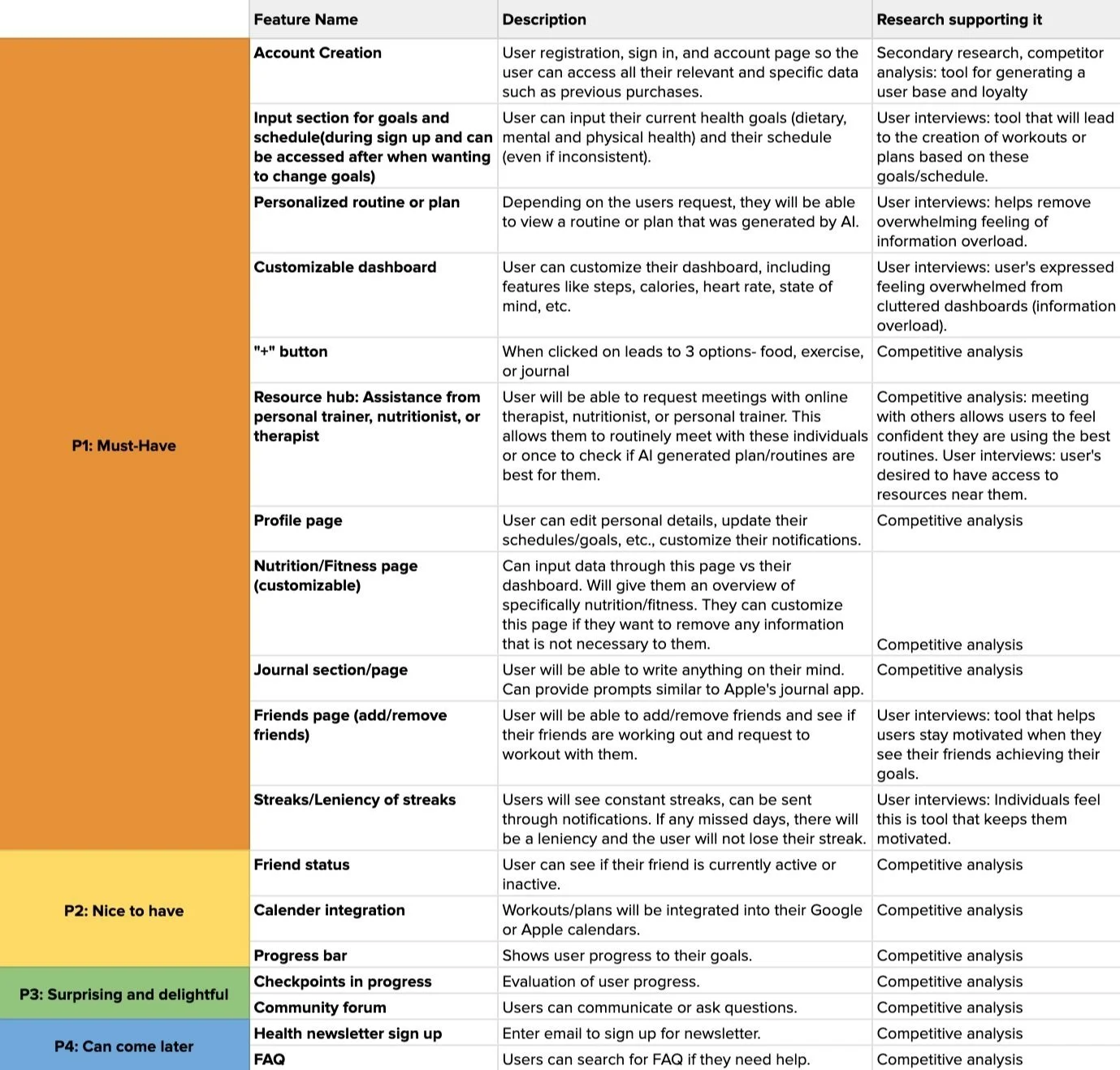
FEATURE ROADMAP.
Must- Have Features:
Based on user research, the app includes features such as personalized routines/plans, a resource hub, dedicated health pages (nutrition, fitness, journal, friends), and streaks to enhance user engagement.
During prototype iterations, certain features were adjusted:
The fully customizable dashboard was removed to prevent users from potentially overlooking important features, as they might not have enough information to know what’s beneficial.
The “+” CTA was also removed due to user confusion, as explained in the Prototype Iterations section.
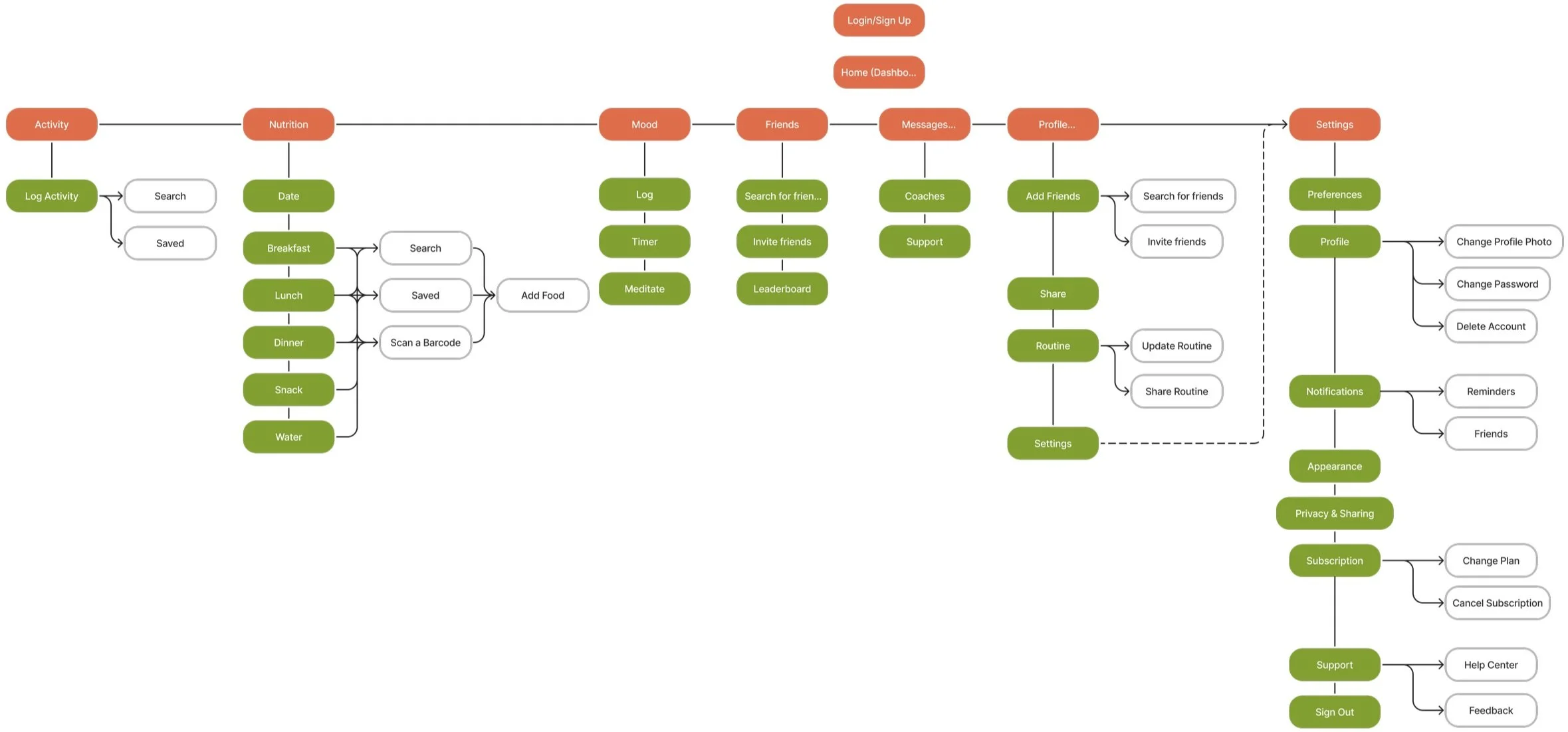
SITEMAP.
A visual representation of the streamlined organization and structure of Holistic.
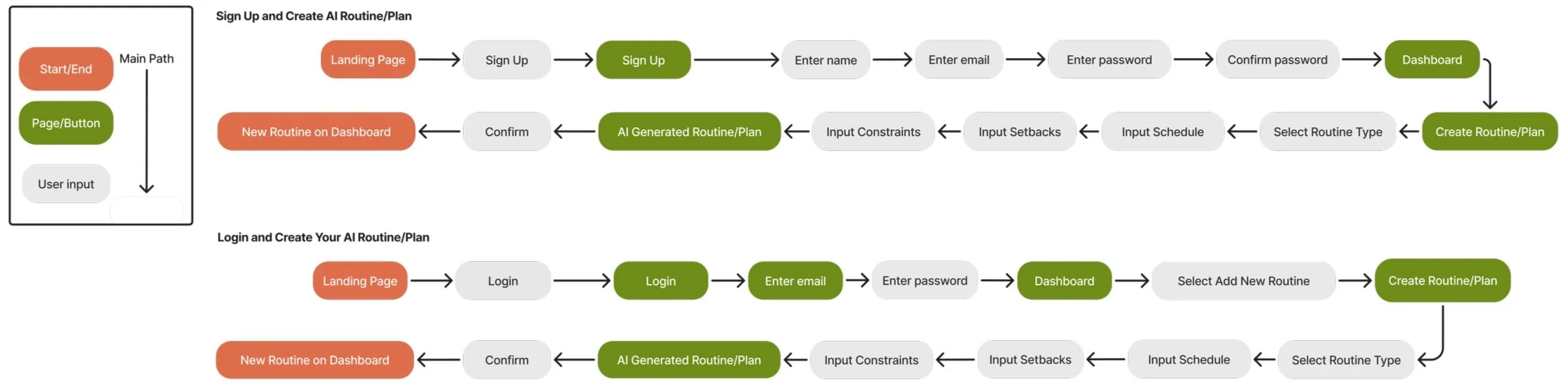
TASK FLOW.
A visual representation showing how a user will complete these two tasks.
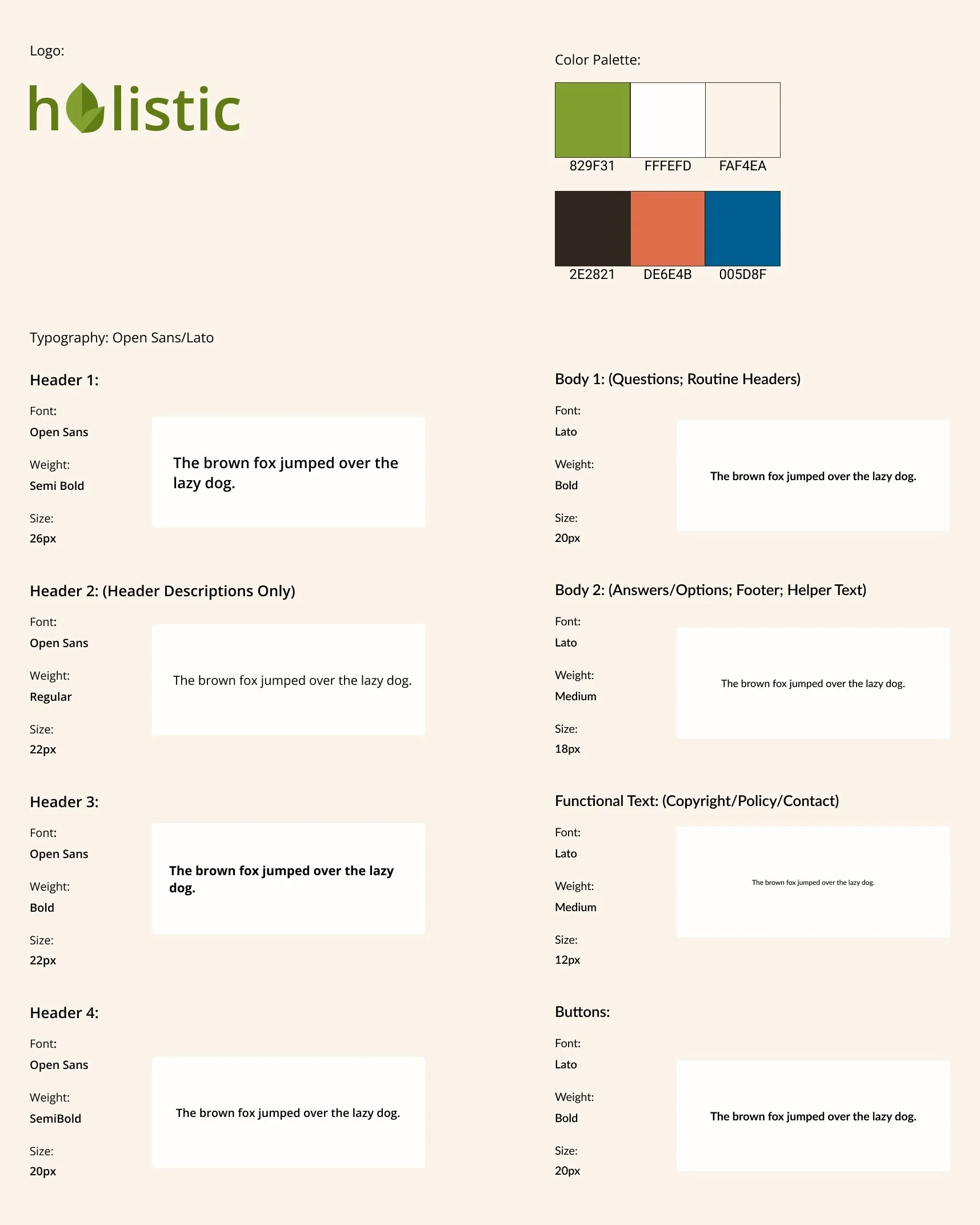
BRAND STYLE TILE.
Logo:
The leaf-shaped "O" in Holistic symbolizes commitment, empowerment, growth, guidance, and sustainability. It represents commitment to bettering all aspects of one’s health, empowerment for well-being, growth in personal development, guidance on the individual’s path, and sustainability with a routine.
Typography:
Open Sans: A clear, versatile font that enhances readability and creates a trustworthy, accessible atmosphere.
Lato: A rounded, friendly font that adds warmth and empathy to the content.
Color Palette:
#829F31 (Accent): Symbolizes growth and renewal, reinforcing the app's focus on holistic well-being.
#FFFEED and #FAF4EA (Background): Soft, warm neutrals create a calm and welcoming environment.
#2E2821 (Font): A deep, earthy brown that provides strong contrast for readability.
#DE6E4B (Primary): A warm, inviting orange that adds energy and vibrancy to motivate users.
#005D84 (Secondary): Used sparingly, this blue adds a touch of stability and focus where needed.
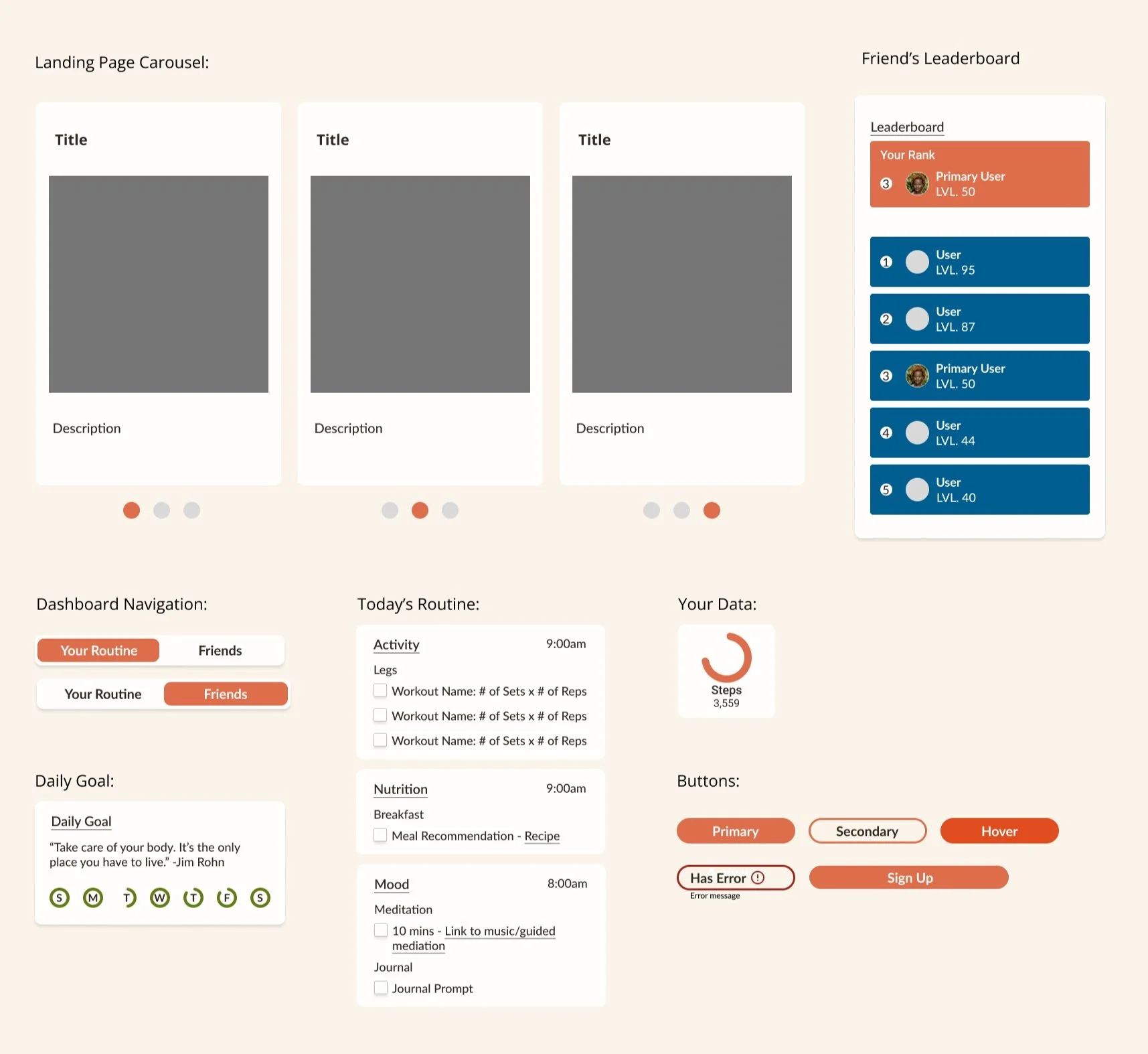
UI COMPONENT LIBRARY.
LO-FI WIREFRAMES.

Landing Page
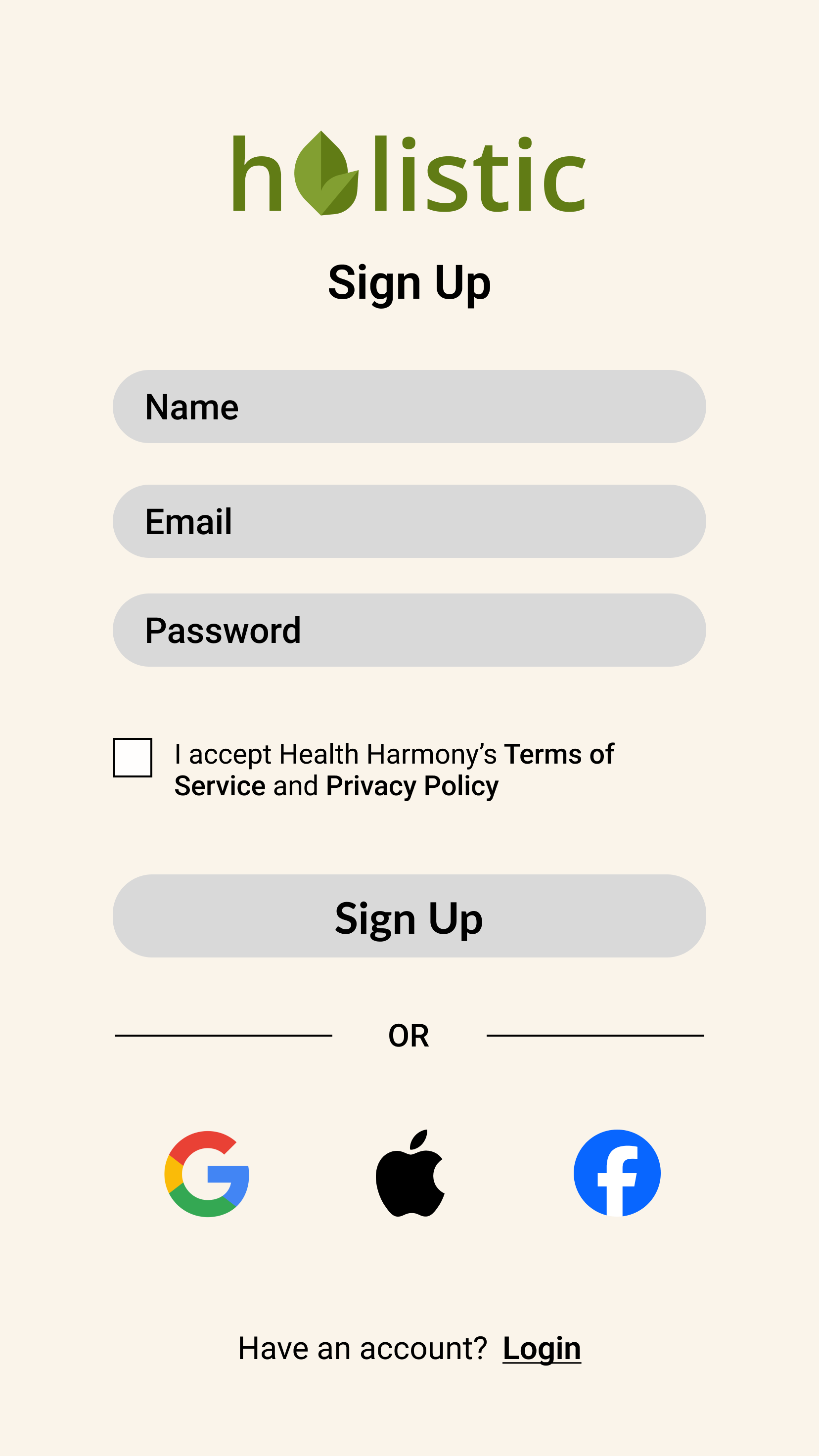
Sign Up
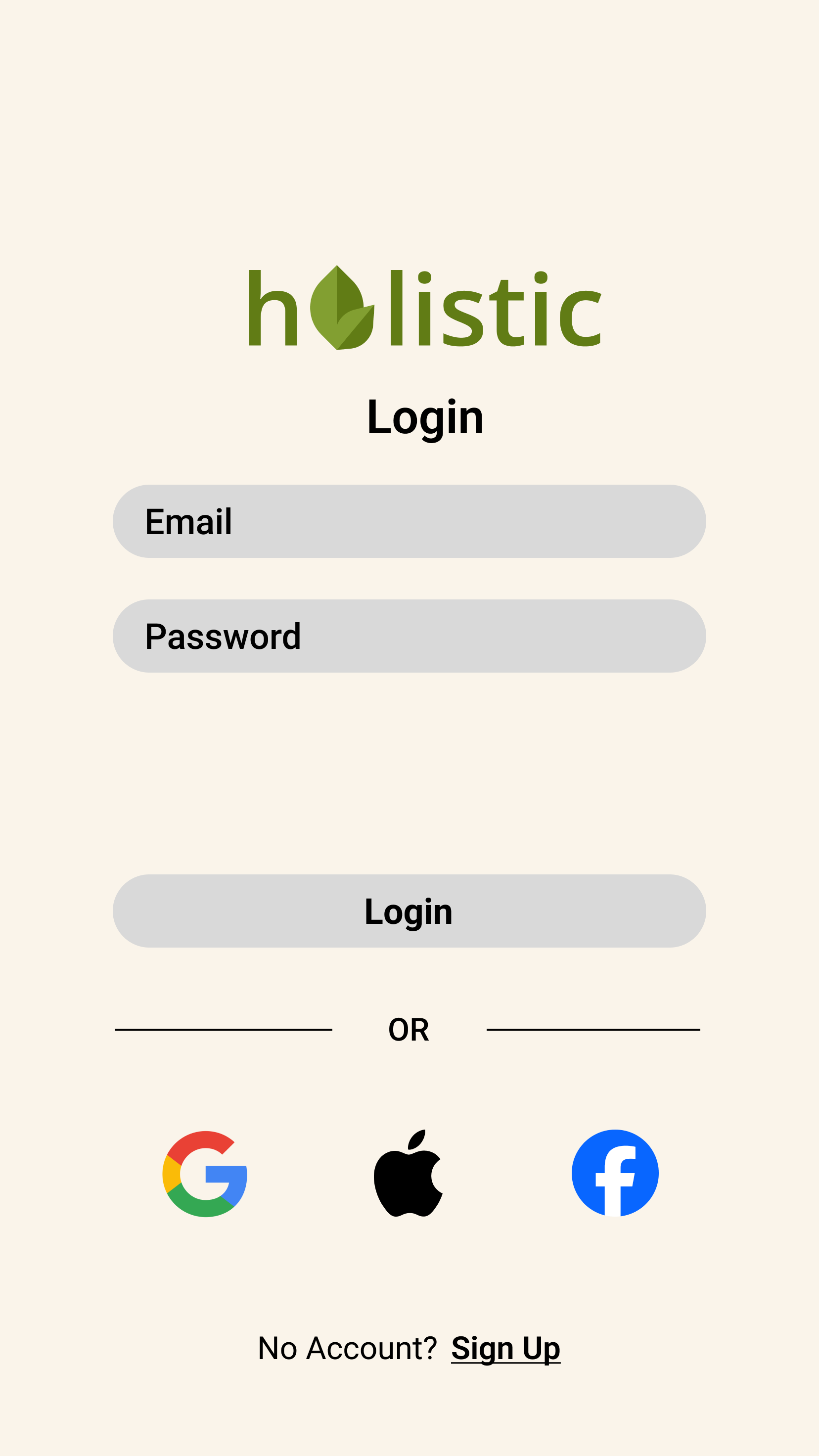
Login
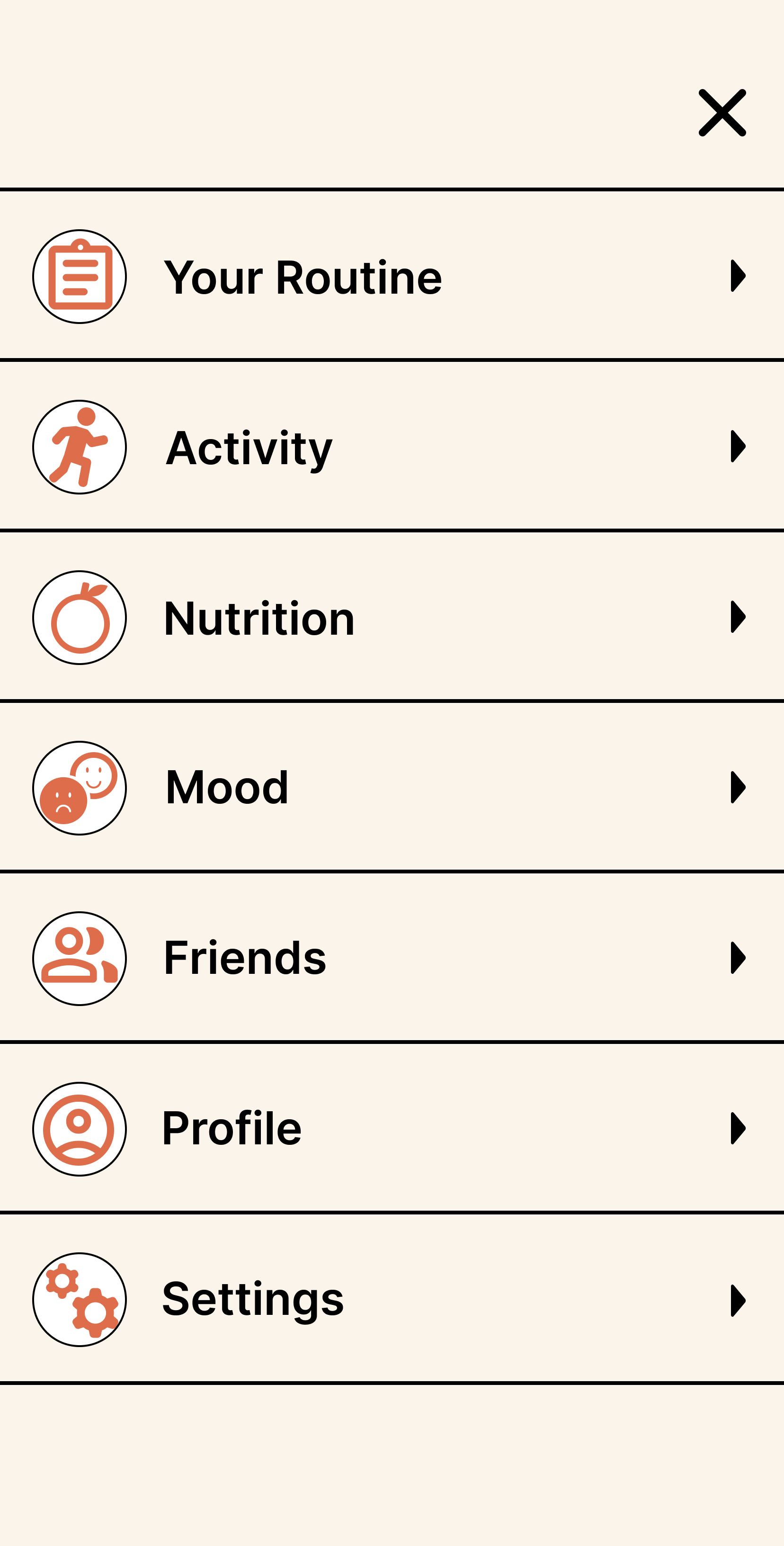
Navigation
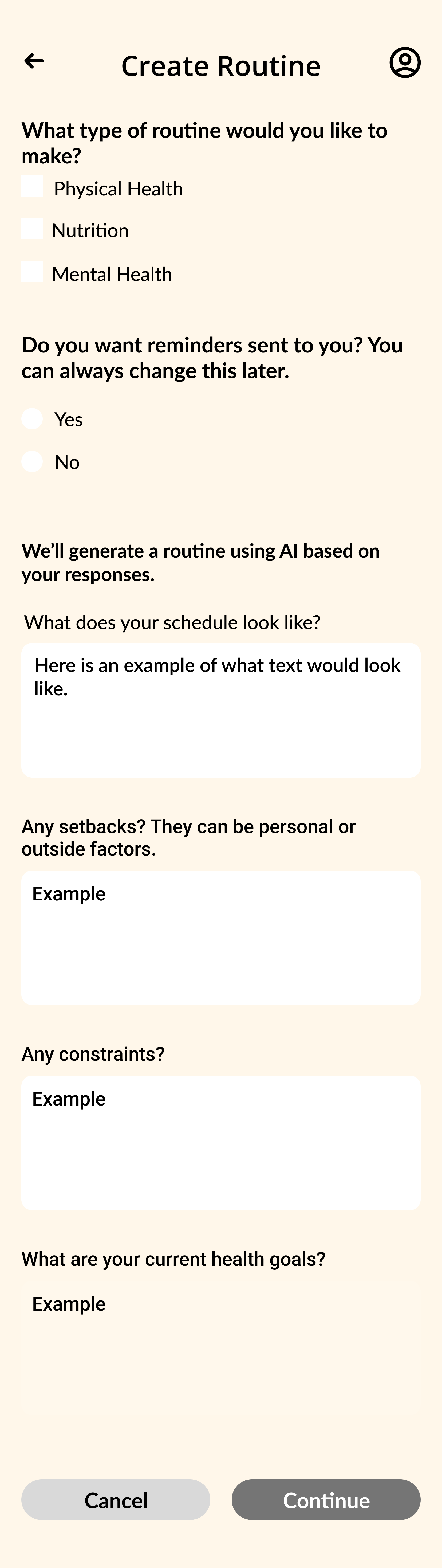
Create Routine
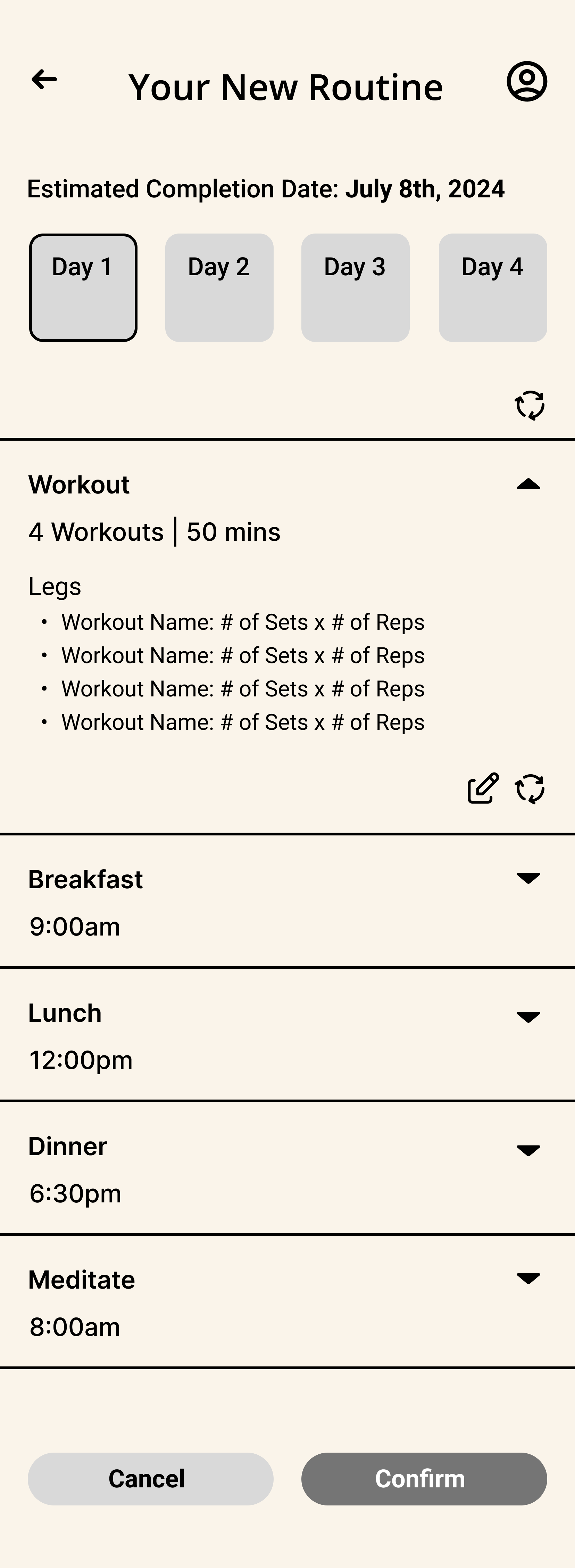
Your New Routine
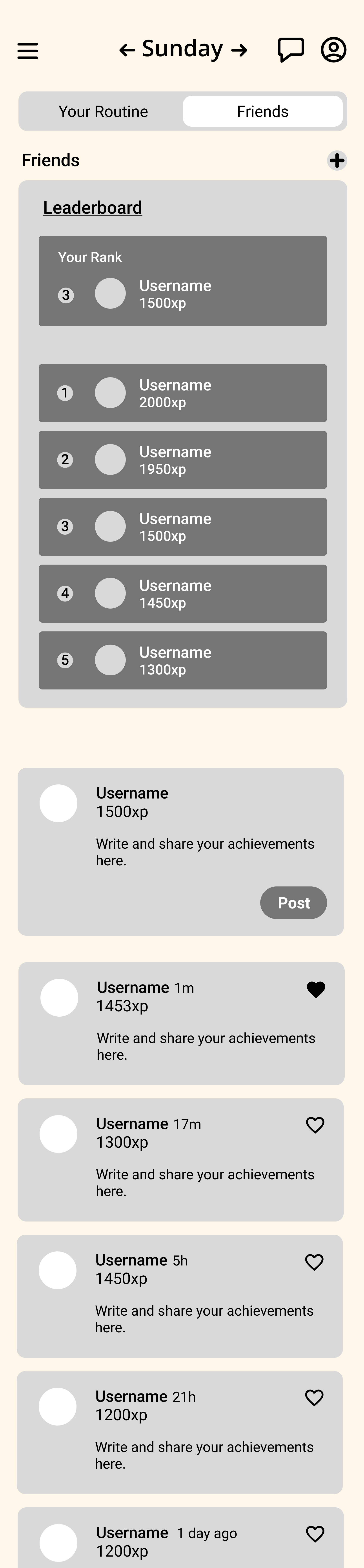
Your Routine Dash
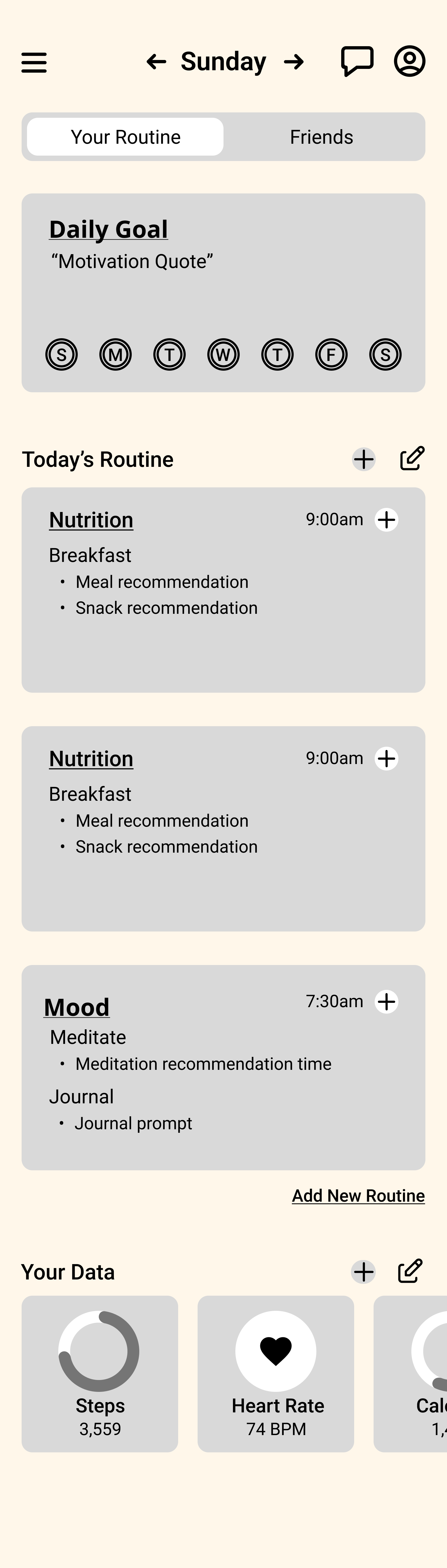
Friends Dash
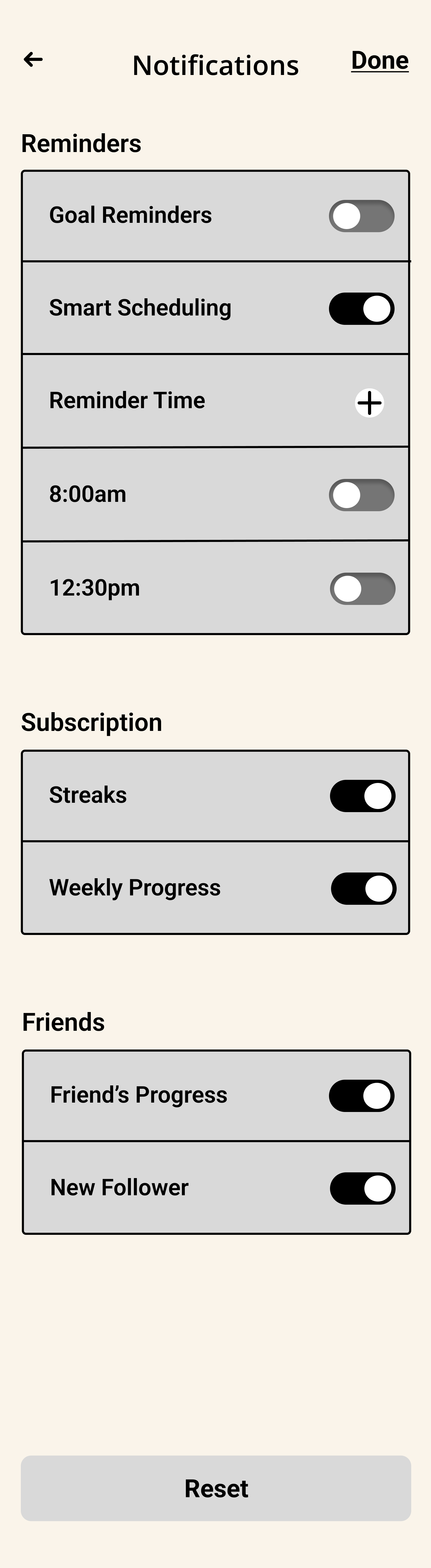
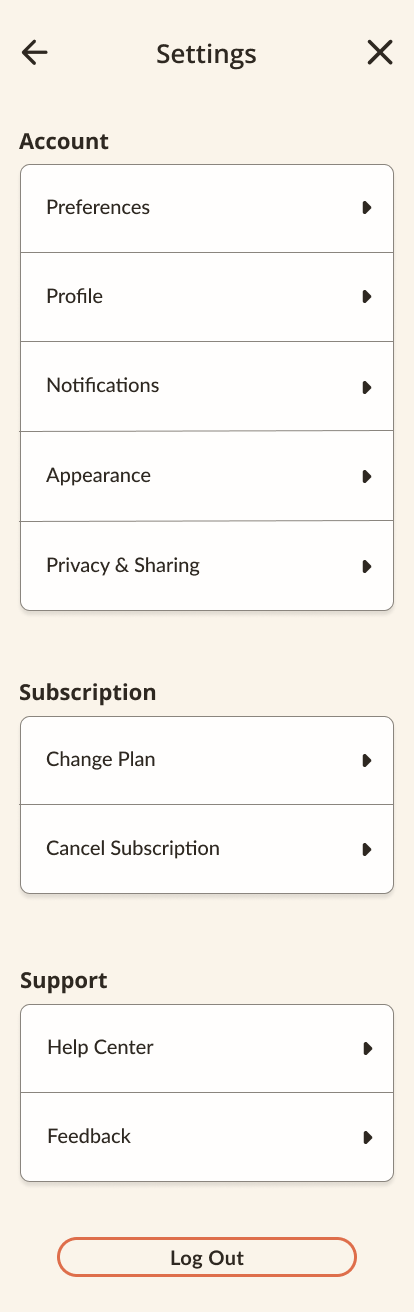
Settings
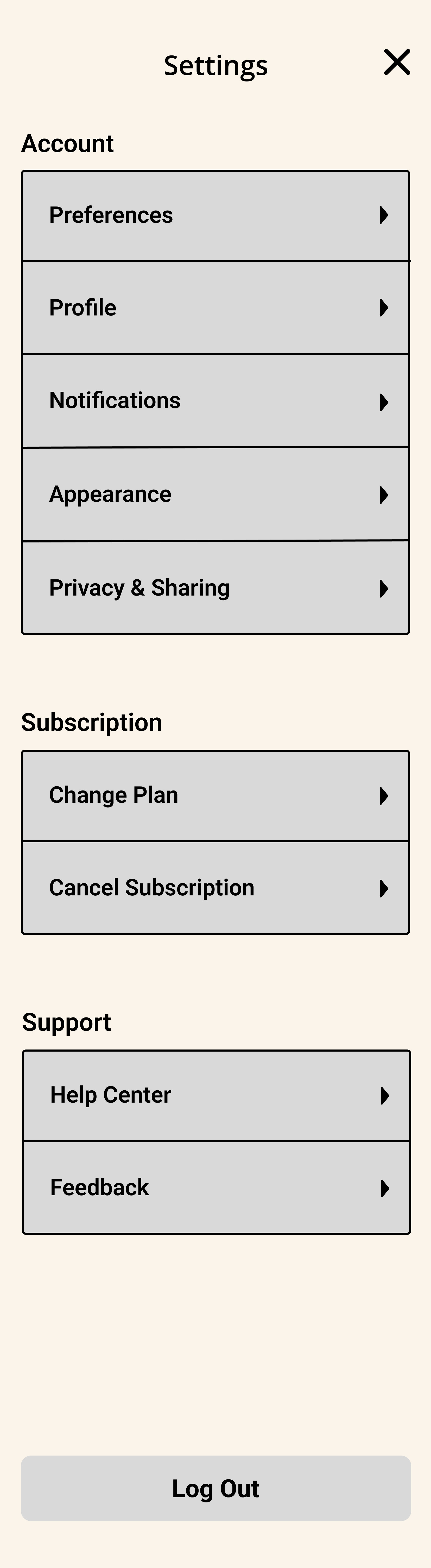
Notification Settings
HIGH-FI WIREFRAMES.

Landing Page
Sign Up

Login
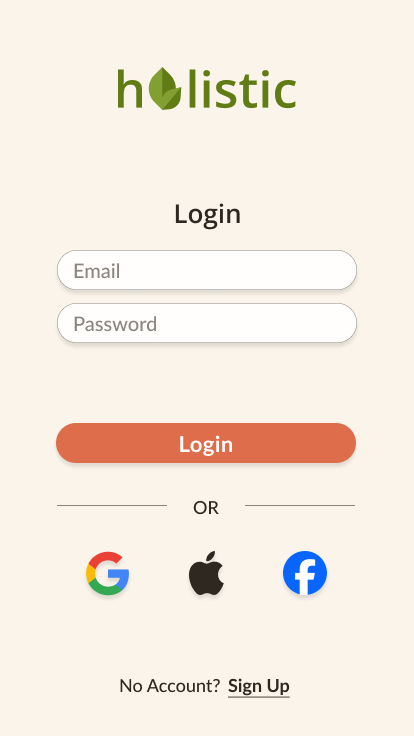
Navigation

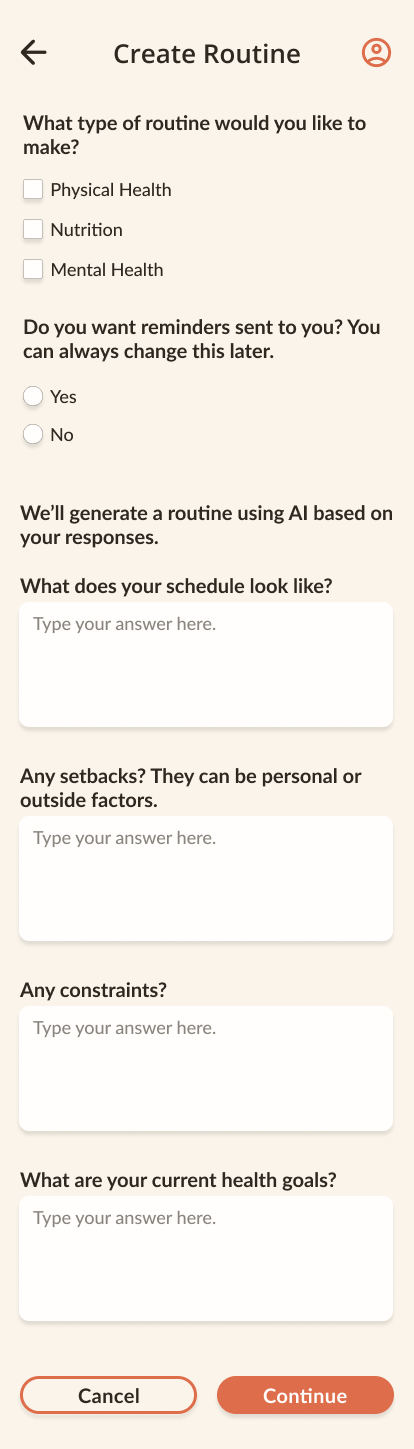
Create Routine
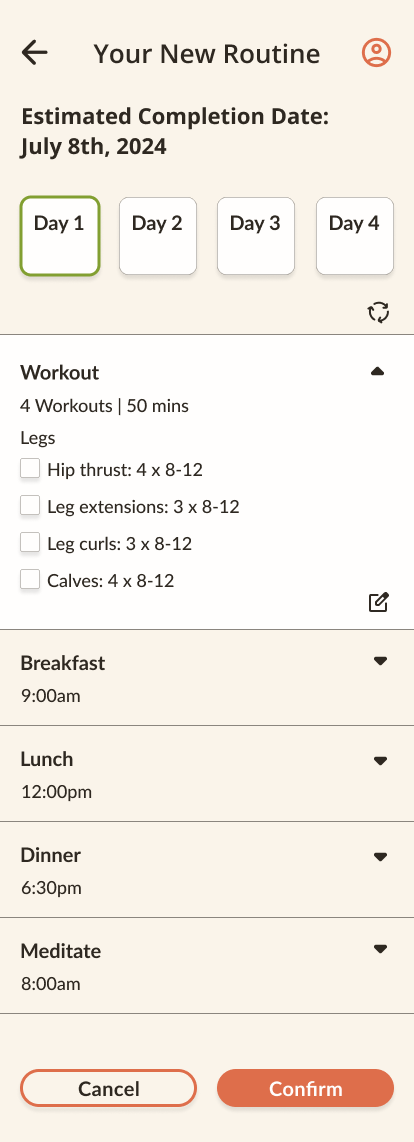
Your New Routine
Settings
Notifications


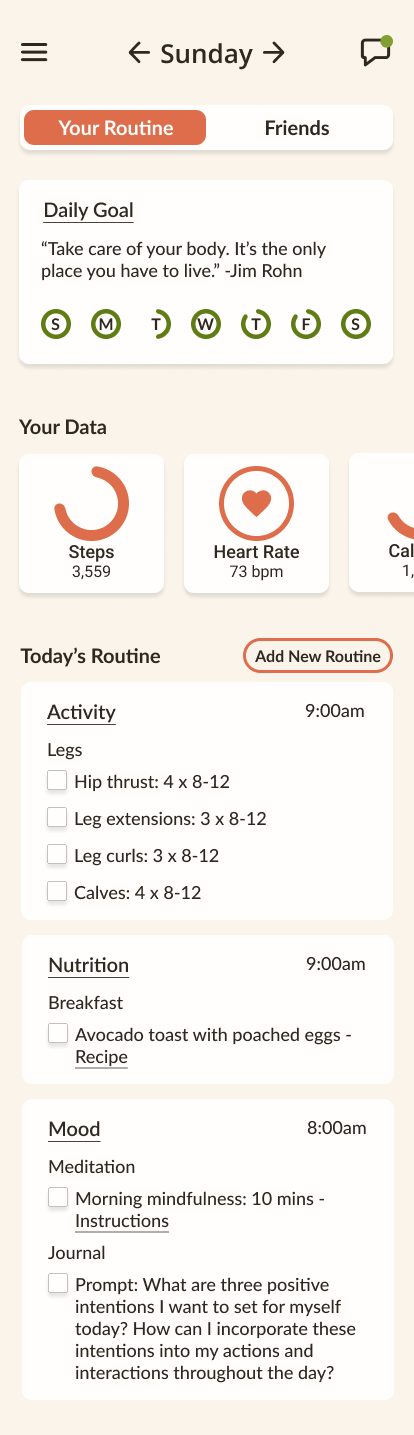
Your Routine Dash
Friends Dash
USABILITY TEST RESULTS.
Summary
Users are tasked to create/edit their new routines after creating and account.
Users are to edit their notification settings to their preferences.
Task 1: Sign Up and Create a New Routine
Navigate Holistic’s homepage to create an account, log in, create a personalized routine using pre-written answers, regenerate the workout plan for different outcomes, and confirm your selections once satisfied.
Task 2: Notification Settings
Explore and adjust your notification settings on our website according to your preferences, creating or editing them as desired, and confirming your choices when finished.
Completion: 5/5
All users successfully completed the tasks.
One user struggled to navigate due to lack of understanding of buttons, however, after an explanation they completed the task.
Time of Completion: 4/5
The majority of users completed the tasks in reasonable times.
With the exception of the user that struggled identifying the functions of buttons/how to navigate the website.
Aesthetic: 5/5
All users expressed a liking towards the aesthetic of the responsive website.
ITERATIONS.
Iteration #1:
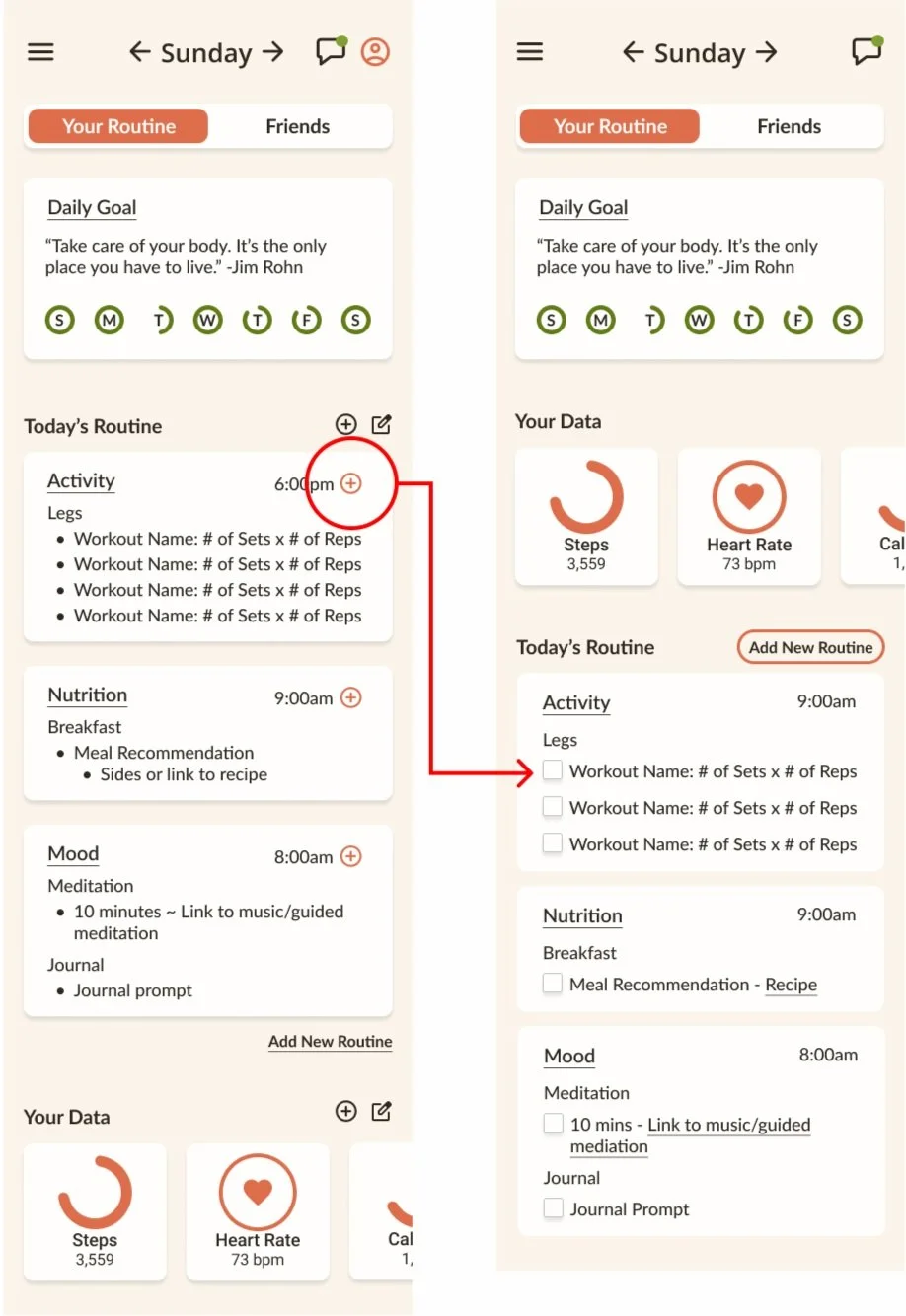
Removed the '+' icons due to user confusion regarding their purpose. Users were uncertain about what would happen when they clicked on them.
Based on feedback, I replaced the '+' icons with checkboxes, allowing users to mark tasks as complete within their daily routine.
This change reduces the number of steps and provides clearer guidance on how to interact with the app.
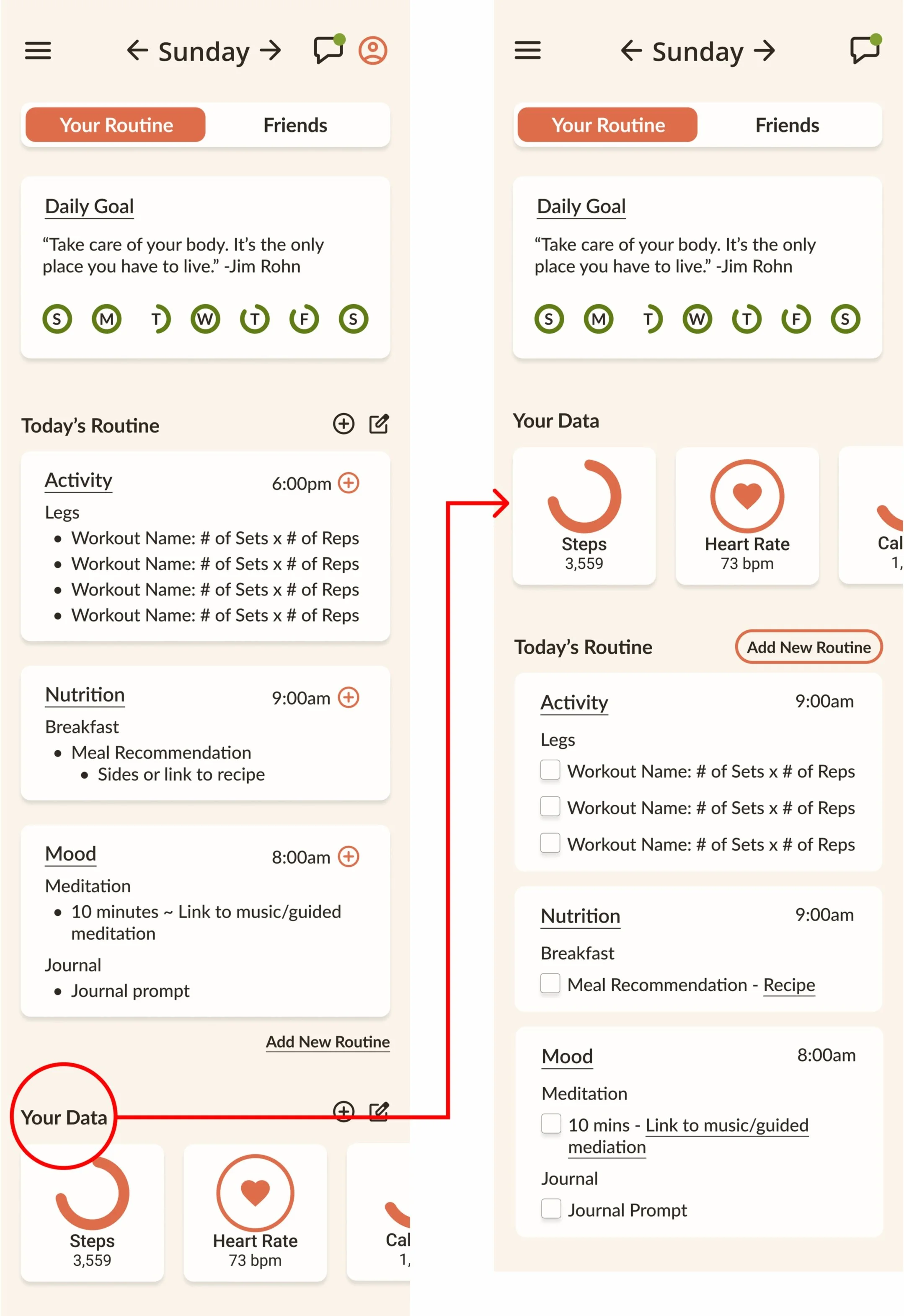
Iteration #2:
Moved the 'Your Data' section higher in the dashboard’s hierarchy, swapping places with the 'Today's Routine' section.
This adjustment ensures that users don't overlook this critical content.
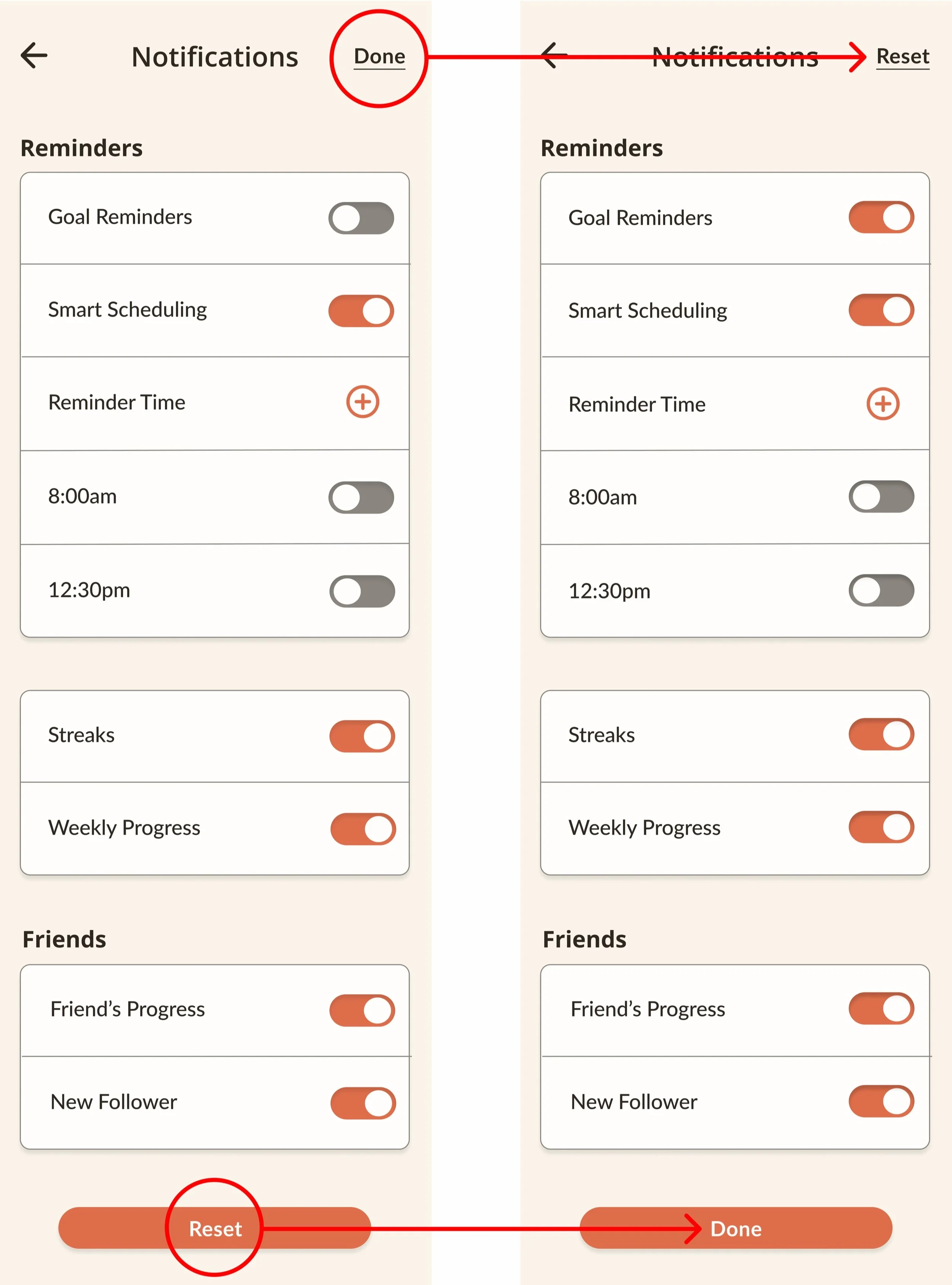
Iteration #3:
The 'Reset' CTA was swapped with the 'Done' CTA after users either accidentally clicked on 'Reset' or were inclined to do so because it was presented as the primary action.
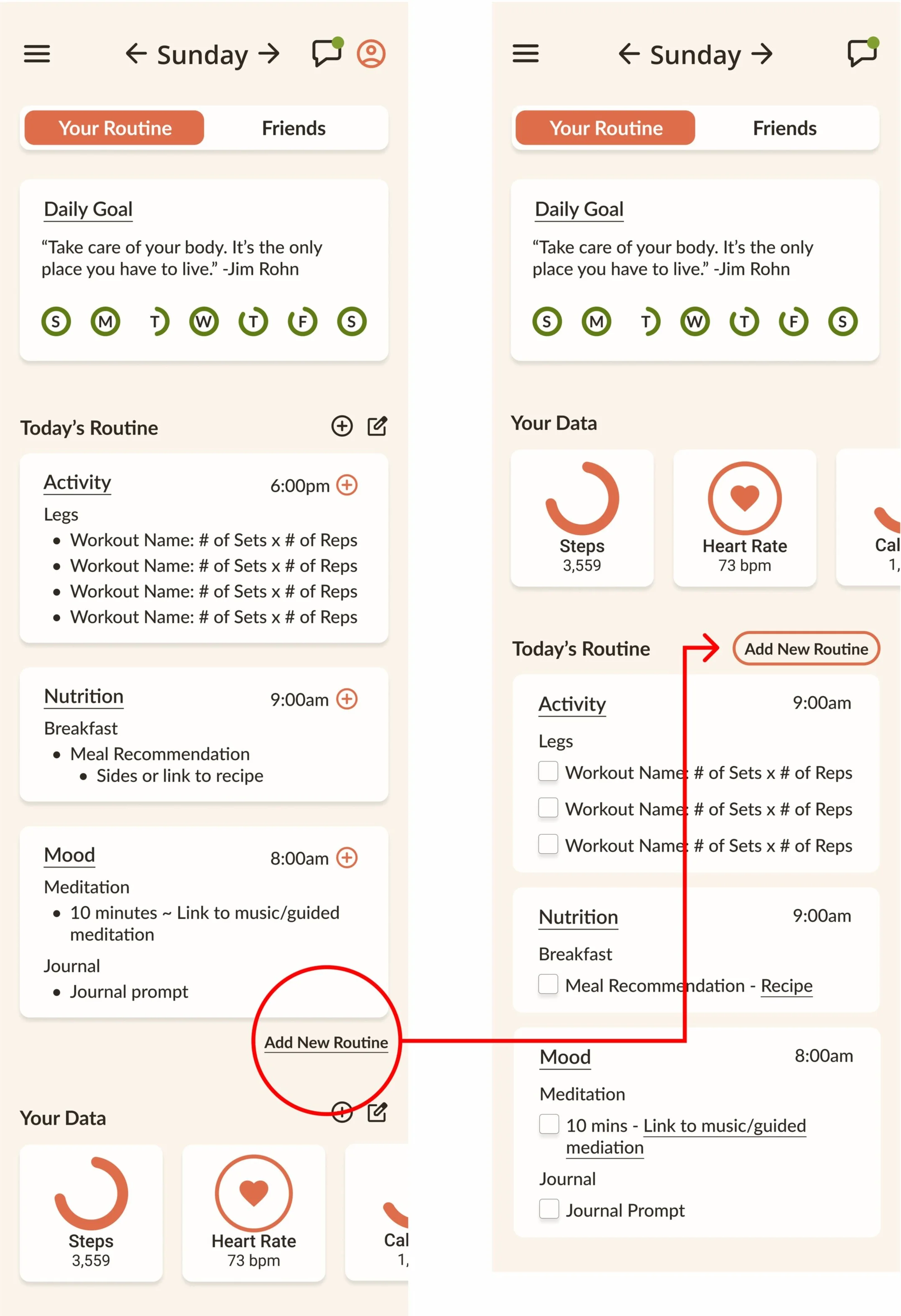
Iteration #4:
The 'Add a New Routine' CTA was presented as a secondary action instead of being underlined, ensuring it stands out as an actionable option that users won't overlook.
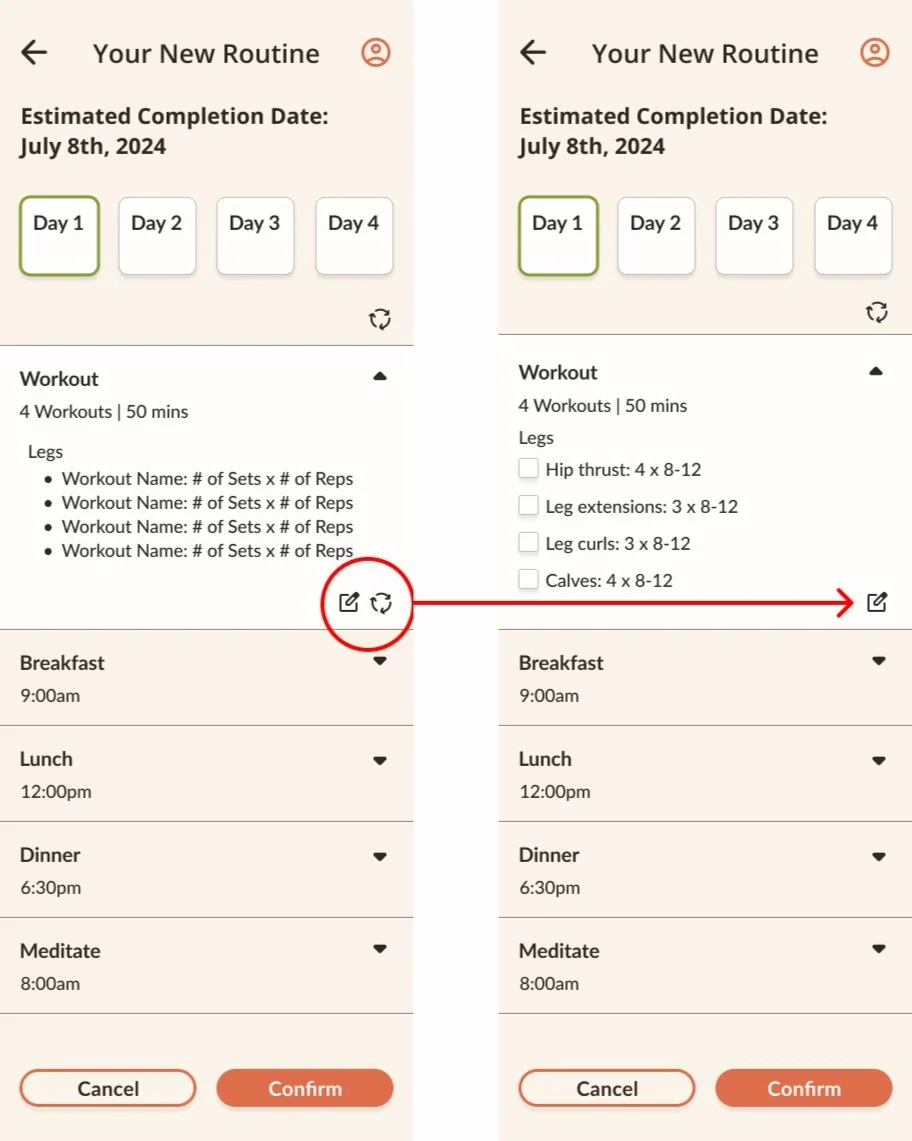
Iteration #5:
One 'Regeneration' icon was removed. Most users either chose the main CTA or were unsure which icon to click, leading to uncertainty about whether their actions were successful.
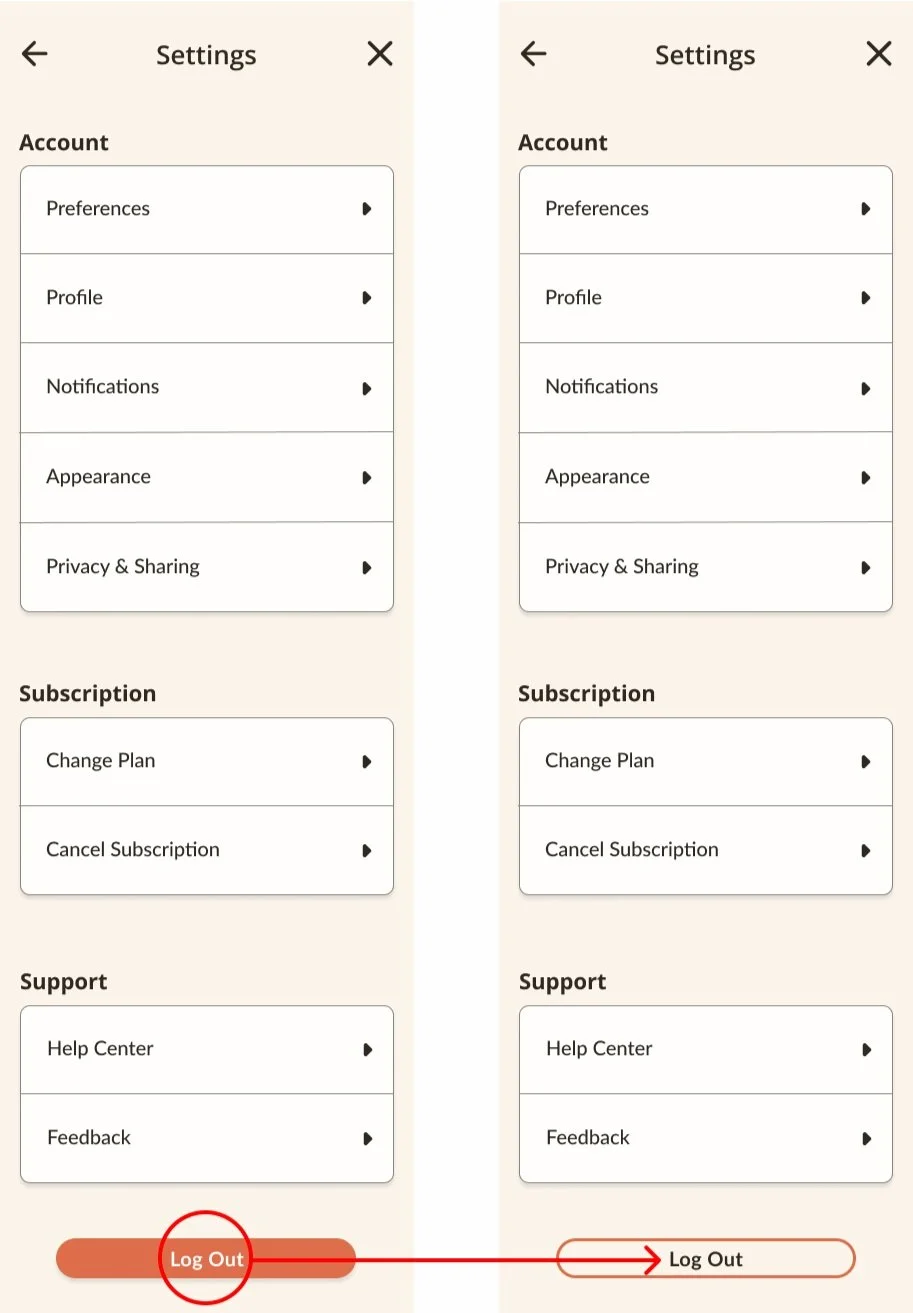
Iteration #6:
The 'Log Out' CTA was changed to a secondary action after users reported accidentally signing out. Making it a secondary CTA helps prevent this issue.
PROTOTYPE.
PRODUCT SUCCESS.
Users successfully explored how AI can generate personalized routines based on their lifestyle. The design proved to be efficient, significantly reducing task completion time, and was widely praised for its user-friendly interface.
All users were able to successfully complete the tasks. While one user initially struggled with navigation due to unfamiliarity with the buttons, they were able to finish the task after receiving guidance.
Most users completed the tasks within a reasonable time frame, except for the user who had difficulty understanding the functions of the buttons and navigating the site.
Users consistently expressed positive feedback about the aesthetic appeal of the responsive website, noting its visual design as a highlight."
WHAT I LEARNED.
Through this project, I gained valuable insights into the design process and the importance of user feedback to reinforce the value of a user-centered approach:
Design Process: Learned the stages from research and ideation to prototyping and testing, ensuring purposeful and informed design decisions.
User Feedback: Learned the critical role of user feedback in refining and enhancing designs, leading to improved user experiences
Iterative Design: Embraced adaptability and iteration, understanding that continuous refinement leads to more polished results.
Collaboration: Recognized the importance of communication and teamwork in achieving design goals.